Dashboard
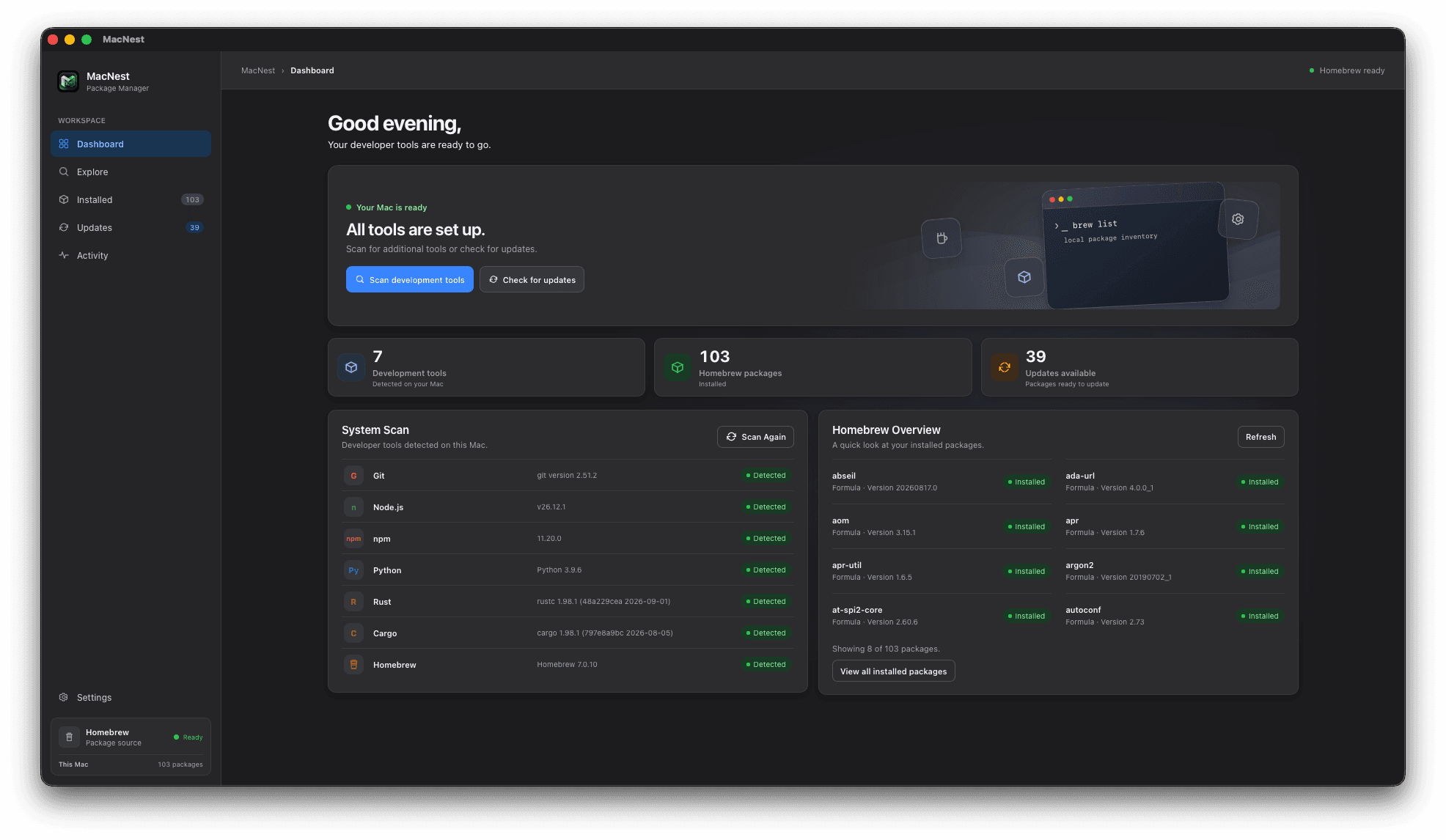
See your development environment and package activity at a glance.
A macOS developer tool
Discover packages, manage development tools, and keep your Mac organized — all from one thoughtfully designed desktop application.
First time installing? View the setup guide
macOS may require an additional approval before opening MacNest for the first time. Follow these steps to get started.
Gatekeeper may block an app when macOS can’t verify its developer identity, code signature, or notarization status. Code signing and Apple notarization are separate checks: signing identifies the developer and protects the app’s integrity, while notarization is Apple’s automated review for known malicious content and signing issues. The specific warning depends on how an app was built and distributed.
This warning alone doesn’t prove that an app contains malware. Still, only continue if you trust the source and have verified the download.
“Open Anyway” may appear only after you’ve tried to open the app, and may be unavailable for other types of security restriction.
Download the app or review its source and releases.
These steps apply to the relevant Gatekeeper warning. They may not work for every security restriction or managed Mac.
Meet MacNest
MacNest is a desktop application designed to simplify package management on macOS. Built with Tauri, React, TypeScript, and Rust, it pairs a macOS-inspired interface with the power of Homebrew.
Discover packages, manage installed tools, review updates, and keep your development environment organized through a graphical interface.
Made for your workflow
The essential tools for discovering, managing, and maintaining your macOS development environment.
See your development environment and package activity at a glance.
View and manage the development packages on your Mac.
Review available package updates and manage your update workflow.
Review recent package management activity.
Discover development tools available in your local environment.
Work in a clean desktop interface with light and dark appearances.
A considered desktop experience
A focused desktop experience with a familiar macOS-inspired interface, thoughtful interactions, and light and dark appearances.
Light appearance
A clear, calm workspace.
Dark appearance
Comfortable in low light.
Developer-focused workflows in a lightweight desktop architecture powered by Tauri and Rust.
The stack

Explore MacNest and discover a more convenient way to manage development tools on your Mac.
For anything private, email hello@ranindu.dev.
Available features depend on the current implementation, Homebrew, and your local environment. Package installation, update detection, progress reporting, and system scanning may have environment-specific limitations.